
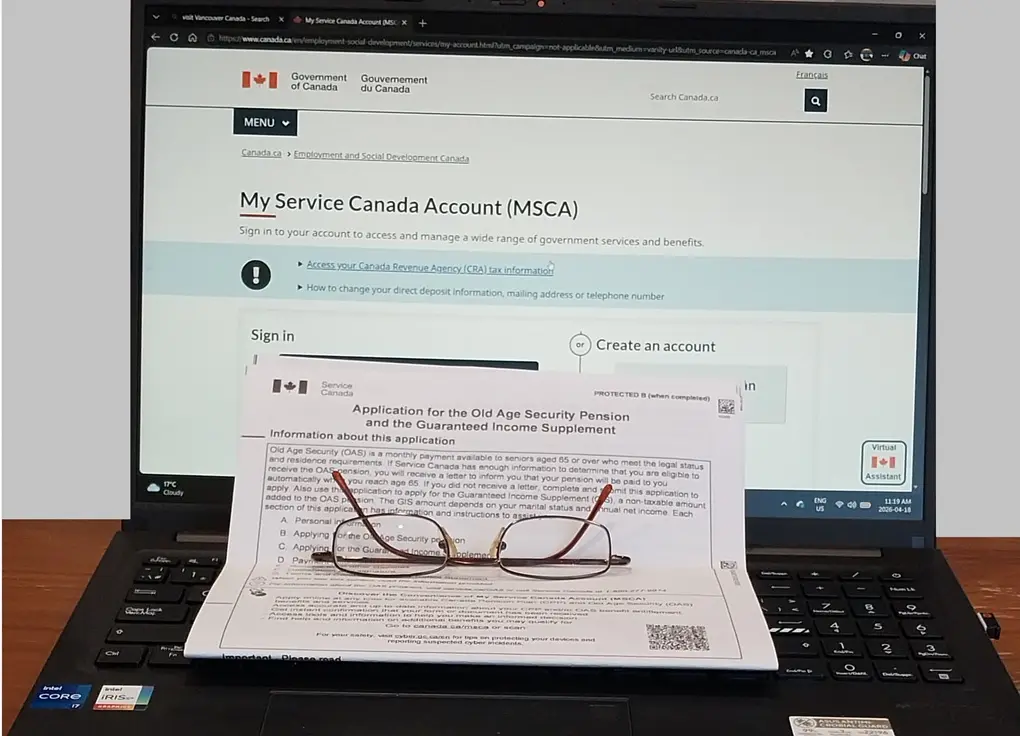
About a year before my 65th birthday, I received a letter from Service Canada. It was an invitation to apply for my OAS (Old Age Security) pension — and my first instinct was to feel overwhelmed. But after going through the process myself, I can tell you: if you know how to apply for OAS online in Canada, it’s far more straightforward than it looks. This guide shares exactly what I learned — including the mistakes and hidden traps that most articles skip entirely.
1. What is OAS? — The basics before you apply for OAS online
Old Age Security (OAS) is a monthly pension provided by the Canadian government to citizens and legal residents aged 65 and older. One of its most important features: you qualify even if you’ve never worked a single day in your life. If your income is low, you may also be eligible for the Guaranteed Income Supplement (GIS) — which you can apply for at the same time as OAS.
2. Collect now or defer? — Decide this before you apply
Before you figure out how to apply for OAS online in Canada, you need to decide when you actually want payments to start. This choice has a significant impact on your retirement income.
Taking OAS at 65 vs. deferring to 70
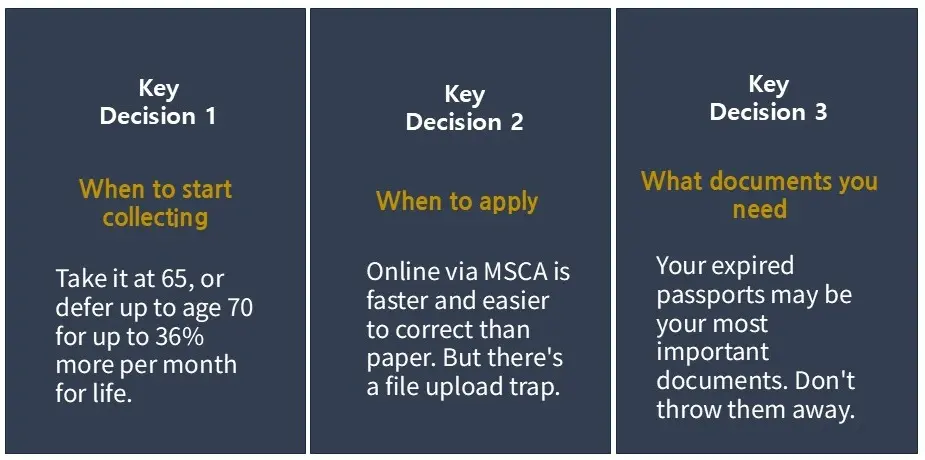
You can start receiving OAS the month after your 65th birthday. But if you delay, your monthly amount increases by 0.6% for every month you wait — up to a maximum of 60 months. Defer all the way to age 70, and you’ll receive 36% more every month for the rest of your life. The earliest you can submit your application is 11 months before your pension start date.
Quick math
0.6% × 60 months = 36% increase. If you’re in good health and currently have a sufficient income, deferring may pay off significantly. If cash flow is tight right now, starting at 65 makes more sense. If you decide to defer, simply wait — there’s no application to file in advance.
For example, if your benefit at age 65 is $742.31, deferring your payout increases it by 0.6% for every month you wait. By deferring for five years (until age 70), you would receive a 36% increase, bringing your monthly payment to $1,009.54. Note that your base amount at age 65 is determined by your years of residency in Canada; 40 years are required to qualify for the maximum benefit.

3. How to apply for OAS online in Canada — 5-step complete guide
I strongly recommend applying online rather than by mail. The paper form Service Canada mails you is a useful reference for understanding what information you’ll need — but for the actual submission, online is faster, easier to edit, and more reliable. Here’s exactly how to do it.
- Go to canada.ca and sign in to — or register for — your My Service Canada Account(MSCA). This is the online portal you’ll use to apply for OAS online in Canada.
- Complete the OAS and GIS application form. You’ll need to enter your legal status and a detailed Canadian residence history with exact dates going back to age 18.
- Upload an identity document — your citizenship certificate, PR card, birth certificate, or marriage certificate. Important: read the file size warning below before you do this.
- Set up Direct Deposit by entering your banking information. This is the fastest and most secure way to receive your pension payments.
- Wait for Service Canada to process your application. You’ll receive a letter — usually about one month before your first payment — confirming your start date and monthly amount.
The hardest part of the OAS online application — residence history
The most demanding part of the application is listing every country where you have lived since age 18. Your periods of residence should exclude any stays shorter than six months. Additionally, if you resided in Canada but maintained residency status in another country—such as during a study abroad program or a short-term visit—your periods of residence in Canada should not include this periods.
I was fortunate enough to have kept all my expired passports. Going through the entry and exit stamps page by page, I was able to reconstruct my exact dates. If you have passports sitting in a drawer somewhere, do not throw them away. They could be the single most important documents in your OAS application.
The hidden file upload trap — what the website doesn’t tell you
This is the issue that caused me the most frustration during the OAS online application process, and it’s barely documented anywhere.
Critical warning — file size trap
The Service Canada website states that uploaded documents can be up to 5MB. In practice, files larger than approximately 100KB will fail with a vague “connection error.” I kept getting the same error message until I reduced my file to 54KB — at which point it uploaded instantly.
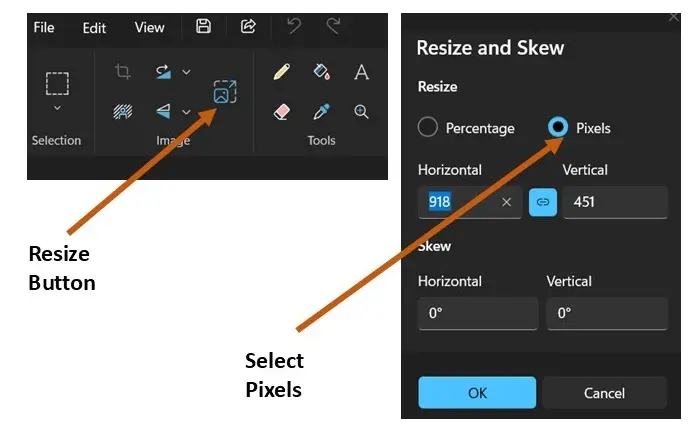
How to reduce file size without uploading to a third-party site
- Search for and open the Paint app in Windows 11.
- Open the file you want to resize.
- Click the Resize button (or press
Ctrl + W). - In the dialog box, select Pixels.
- Lower the Horizontal value until your file size is 100KB or less, then save.
4. Apply for GIS at the same time as your OAS
The Guaranteed Income Supplement (GIS) provides additional monthly payments to low-income OAS recipients. Eligibility is assessed based on your previous year’s tax return — specifically, your net income combined with that of your spouse or common-law partner. Even if you don’t qualify in the year you apply for OAS online in Canada, Service Canada reassesses your eligibility automatically each year after you file your taxes. If you become eligible in a future year, GIS payments will start without you needing to reapply.
5. Eligibility checklist — legal status and residence requirements
To receive OAS, you must be 65 or older and be a Canadian citizen or legal resident, with at least 10 years of Canadian residence after age 18. If you were born in Canada and have lived here your entire life, no additional proof of legal status is required. If you were born outside Canada, you’ll need one of the following: a Certificate of Canadian Citizenship, a Permanent Resident Card (PR Card), your Record of Landing (IMM 1000), or a Canadian entry stamp in your passport.
Final Takeaway
If I could summarize how to apply for OAS online in Canada in one sentence, it would be: use the paper form as a reference only, apply through MSCA, keep your file under 100KB, and never throw away an expired passport.
Turning 65 is a big milestone, and your pension is something you’ve earned the right to claim. With these 5 key points in hand, you can complete the process confidently and without the setbacks I ran into. Retirement planning starts with the right information — and now you have it.
If you have questions or need help, contact Service Canada directly at 1-800-277-9914, or you can check at Canada.ca/OAS.
🦷 Slash Your Dental Expenses in Retirement with Government Support!
As you plan your retirement benefits, make sure to check your eligibility for the Canadian Dental Care Plan (CDCP). Discover the copayment rates by income level and step-by-step instructions.
👉 Read: 2026 Canadian Dental Care Plan (CDCP) Eligibility & Application Guide
🌏 한국어 버전으로 읽으시려면 [여기]를 클릭하세요.